In Infince Workplace, you may purchase applications multiple times to have separate instances for different business needs and can specify unique names for the new application instances. It is possible for you to create multiple instance for any application (except OpenProject and Skill Lake). To view all applications, navigate to Administration > App Store > All Applications.
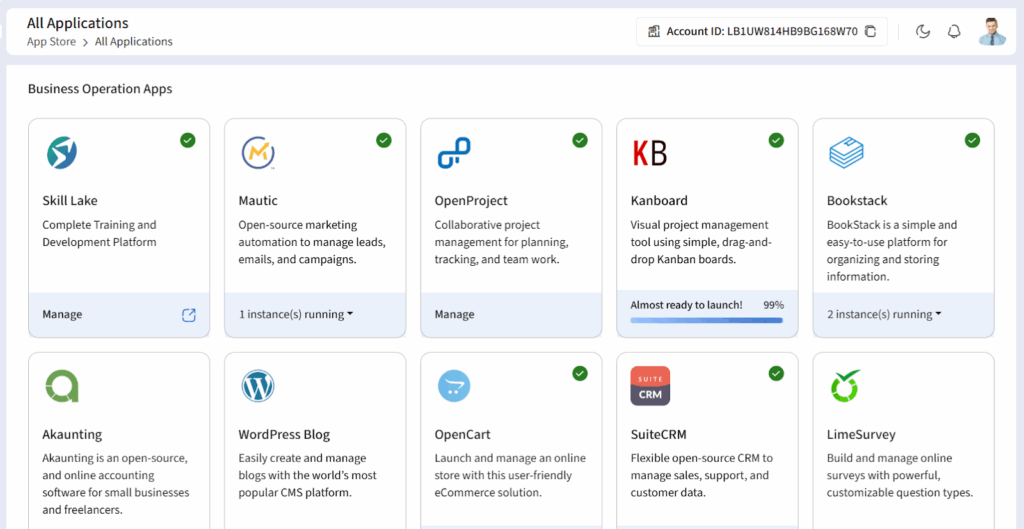
In the All Applications, click on the Subscribe icon of the application to view the application description, features and the instances running for the application.
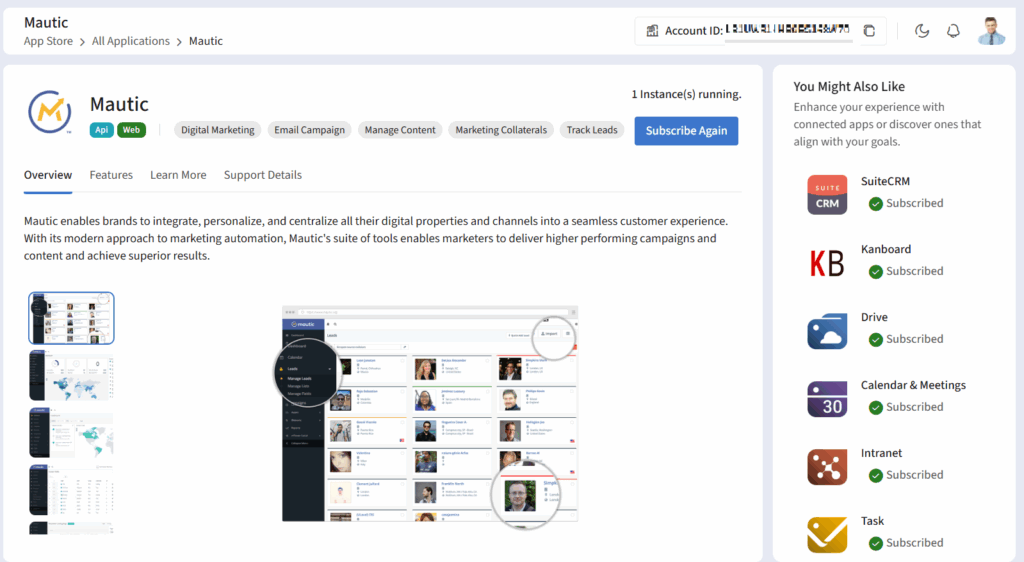
Click on the Subscribe Again button to buy another instance of the application.
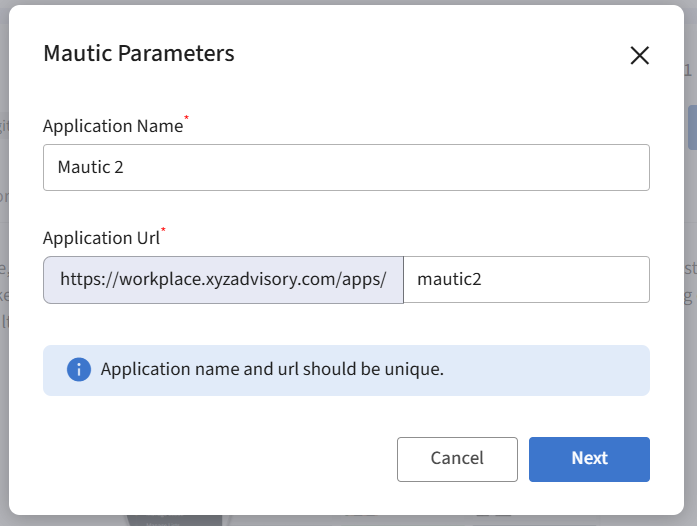
You may edit the application name, URL display name and click on the Next button to navigate to the Mautic Plans & Pricing page.
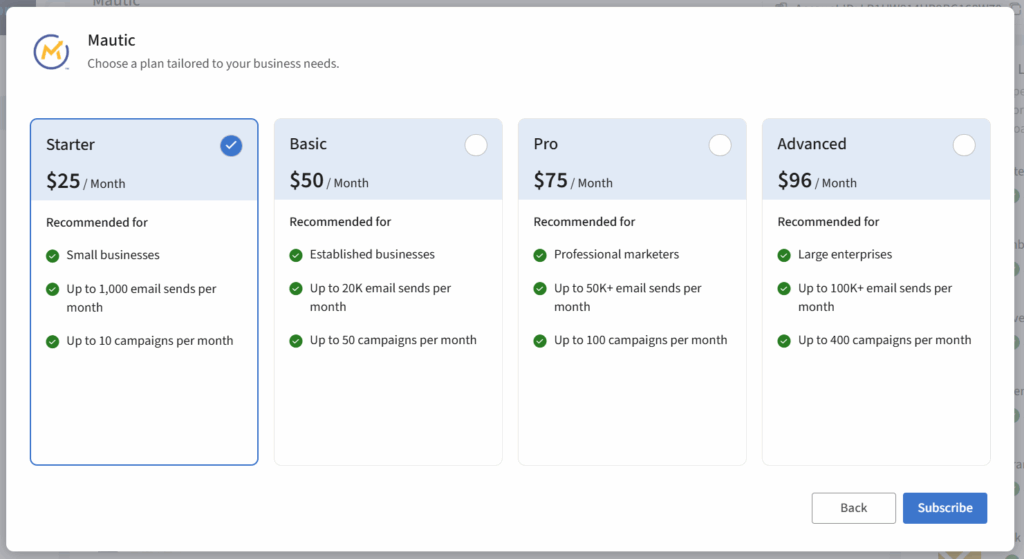
Click on the required plan and click on the Subscribe button to subscribe another instance of the application.