Most global organizations now deploy over 50 SaaS applications on average across diverse business functions. Handling a wide array of apps for distinct functions is a challenge in itself. Disconnected apps result in 15-20% of productivity loss. If each of these apps’ usage, security, licenses, or vulnerabilities is not individually monitored, it can even result in security gaps and hidden costs.
That’s where integrated app management makes a difference.
Rather than fighting application sprawl with purchasing restrictions, integrated app management unifies multiple silos into a single managed layer. This primarily ensures data flow through a consolidated system without the need to rebuild each system.
In this article, we’ll see how integrated app management can help growing companies boost cost-efficiency and business performance.
The Risks of Managing Multiple Disconnected Apps
1. Data Silos and Inefficiency
A McKinsey study indicates that data silos cost businesses an average of $3.1 trillion annually in lost revenue and productivity. But the real damage shows up in daily operations. Only a minuscule portion of the data collected is actively used by organizations as they scale. This is primarily because larger chunks of useful data are trapped in isolated systems.
- Your customer service platform knows which features customers struggle with. Your analytics tool knows which user segments have the highest lifetime value.
- Your CRM knows which accounts are up for renewal. But because these systems don’t communicate effectively with each other, you can’t connect the insights to make informed decisions about product roadmaps, retention strategies, or resource allocation.
2. Miscommunication Across Teams
When applications don’t interact with each other, teams tend to operate in isolation. Here’s how it goes – Your engineering team tracks projects in a basic project management tool while your marketing team manages campaigns in a dashboard-based campaign manager. Since each team has data from different tools and disjointed workflows, none of the teams have visibility into how their work connects to broader company goals. While the effect of this may not be immediately obvious, consider what happens when a product launches.
- Engineering marks features as complete in their project management tool.
- Marketing schedules campaigns based on their own timeline tracker. Sales receives launch updates through email.
- Customer success learns about new features when customers ask about them.
Without an integrated app management system, there’s no single source of truth about what’s shipping, when it’s available, or how teams should coordinate their efforts. The cost of this disconnection is confusion and scope for redundancy.
3. Increased Operational Costs
Every disconnected application adds layers of hidden costs. You’re not just paying for software licenses. You’re paying for the integration consultants who try to connect your systems. The IT staff who maintain custom API connections that break with every software update. The administrators who manage user access across dozens of platforms. The training programs teach employees which tool to use for which task. Not just that, there’s also the cost of redundancy. Without centralized visibility, organizations often don’t realize they’re paying for multiple tools that serve the same purpose.
How Integrated App Management Boosts Productivity
The shift from standalone, fragmented applications to integrated app management for growing companies fundamentally changes how work gets done. When applications communicate through a centralized platform, teams save time and start focusing on outcomes. Let’s get into the specifics:
1. Unified Dashboards for Teams: More Visibility and Improved Decision Making
When applications connect through a centralized integrated app management platform, information is no longer scattered across dozens of interfaces. Executives can view real-time revenue metrics, pipeline health, customer satisfaction scores, and operational KPIs from a single dashboard. This would require no logging into five different systems or waiting for someone to compile a weekly report.
This visibility changes how decisions get made. Leaders get complete visibility of operations without the need for constant reporting from department heads. Work delays, customer disapprovals, and operational gaps can be easily identified. All the data exists in connected systems, accessible from one interface.
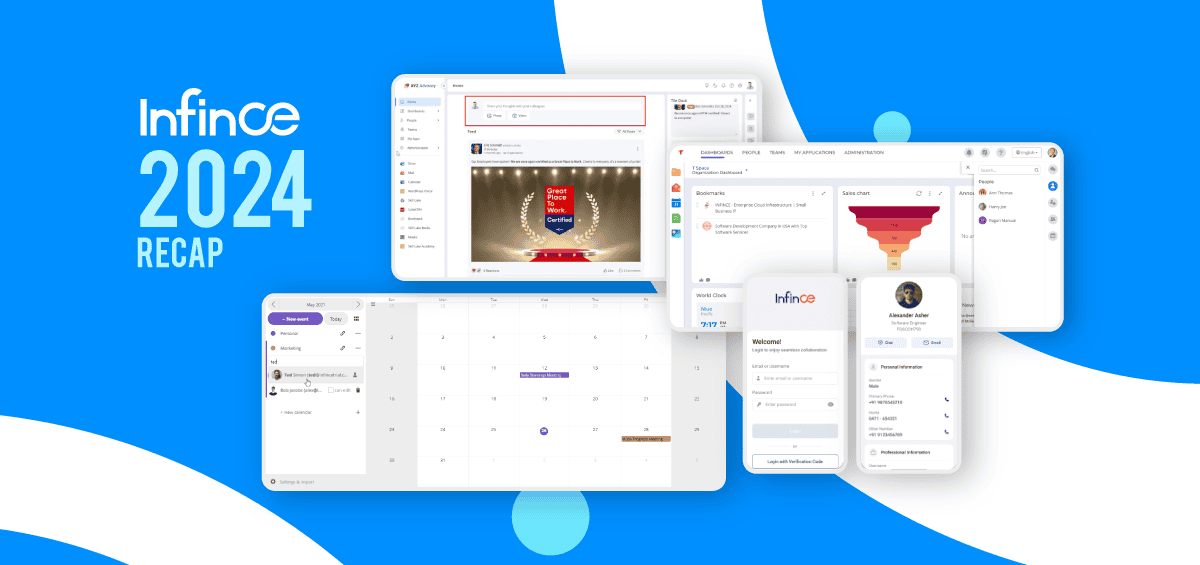
Advanced platforms like Infince offer customizable, tiled dashboards with a unified view of data and real-time insights. Graphs and charts add visual clarity to complex information, while multi-level customization allows organizations to create dashboards for the entire company, specific departments, or individual users.
2. Seamless Tasks and Workflows
Consider a typical sales workflow. You get a prospective lead through an email inquiry. Your next step would be to update your CRM, respond to and nurture the lead further, schedule demo meetings, and assign designated managers for the task. However, this would require you to switch between multiple apps and tools, which sometimes can increase job complexities and errors, leading to loss of the lead.
When you have an integrated cloud ecosystem, with all your tools in one place, your task is much streamlined and simple. You can avoid wasting time on switching between apps and multiple logins. Your team has access to the required information. Your CRM is updated quickly, without errors. Meetings are scheduled faster without complexities.
3. Better Reporting and Analytics
Integrated app management solves the challenges posed by disconnected apps. It helps create a unified data layer where information flows between systems. When everything connects, you can analyze relationships that were previously lost within multiple layers. For instance, marketing channels that attract more customers, customer onboarding experience patterns, all can be easily identified.
With an integrated app management system, organizations can integrate operations and shorten development cycles. Teams are also interconnected and perform as one to enable unified success.
How Infince Simplifies App Management for Growing Companies
A centralized app platform gives growing businesses a single, governed environment to manage every critical tool (from collaboration and CRM to HR and project management). This also means that organizations do not have to juggle multiple vendors or admin consoles. This reduces shadow IT, simplifies compliance, and allows leaders to align apps tightly with business goals rather than ad-hoc team preferences. By consolidating data and workflows on Infince, decision-makers gain a unified view of performance, helping them move faster on hiring, customer service, and product roadmaps. Here are some of Infince’s prominent features:
Single Sign-on (SSO) for All Business Tools
With one secure login, employees instantly access all approved apps, dashboards, and data. This eliminates time lost to password resets, link-hunting, or switching between browser tabs. A unified, centralized identity layer also makes it easier to enforce access policies and roll out new tools safely across departments. For distributed or hybrid teams, this means onboarding in minutes instead of days and fewer IT tickets around access issues.
Easy App Deployment from App Marketplace
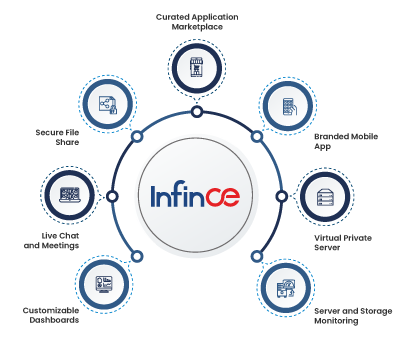
Infince’s app marketplace enables admins to browse, approve, and deploy curated apps directly into the organization’s workspace, thus avoiding risky self-signups and fragmented subscriptions. Configuration effort is also cut down significantly, reducing the reliance on IT. Another advantage of this is how it allows organizations to experiment with new tools in controlled pilots, quickly scaling what works and closing down what doesn’t.
Improved Scalability for Growing Teams
As headcount and business functions grow, IT can create role-based workspaces and app bundles instead of configuring each user manually. New regions, business units, or project-based units can be created with defined app sets, permissions, and data limits. This structured scalability prevents the usual chaos of fast growth (duplicate tools, conflicting data, and unmanageable access lists). It also helps with compliance requirements as the organization expands.
Best Practices for Implementing Integrated App Management
Here are some best practices to adopt as you work your way through integrated app management:
Standardize Workflows Across Apps
Start by mapping your core business processes—sales, support, hiring, procurement—and defining which system is the “source of truth” at each step. Then align apps to this blueprint so that tasks, approvals, and data flow in a predictable sequence rather than being reinvented by each team.
Ensure Team Adoption and Training
Integrated app management only works if people actually use the tools in a consistent way. Build simple, role-specific playbooks that show “how work gets done” in the platform: where to share updates, how to file requests, how to find documents, and which app to use for what. Reinforce this with quick training sessions, recorded walkthroughs, and embedded help inside the workspace so employees don’t fall back to email, chats, or personal tools outside the system.
Consistently Monitor App Performance and Usage
Set up regular reviews of app usage, login frequency, feature adoption, and cross-team collaboration patterns. If an app is rarely used, investigate whether it’s redundant, confusing, or poorly introduced and decide to retrain, replace, or retire it. Performance metrics, such as response times and error rates, help IT proactively fix issues before they affect productivity, while usage insights guide budget optimization and future app investments.
Common Pitfalls to Avoid with Integrated App Management
Building Too Many Apps
Organizations often deploy multiple apps without completely using them. When companies invest in tools for a competitive advantage without completely understanding how they could align with or boost their operations, they end up creating more operational bottlenecks and job complexities. This overwhelms employees and leads to underuse of tools or a switch back to traditional workflows with spreadsheets and chat threads. It’s imperative to keep the integrated app stack lean: prioritize core use cases, clearly identify opportunity areas, and scale only where clearly justified.
Ignoring Employee Training
Rolling out powerful apps without structured onboarding makes teams perceive them as burdens rather than enablers. Skipping proper employee training can lead to inconsistent data entry, duplicated work, and resistance to new processes. Treat training as an ongoing program: initial guidance, refresher sessions, and periodic updates whenever major features or workflows change.
Not Leveraging Analytics
When app analytics and reports are ignored, leaders lose the chance to spot bottlenecks, identify high-performing teams, or see which tools are delivering real value. Without this visibility, budgets get locked into ineffective software, and productivity issues remain hidden. Make it a habit to review dashboards for cycle times, approval delays, and collaboration patterns, and tie these insights to concrete process improvements.
The Why and How: Integrated App Management for Scaling Businesses
Scaling businesses thrive when tools align with growth, not against it. Integrated app management transforms app sprawl into a unified engine—delivering single login access, seamless workflows, and real-time insights that cut waste and accelerate execution. From onboarding hires in minutes to syncing sales data across teams, Infince’s centralized platform eliminates silos, enforces governance, and scales effortlessly as you expand.
Leaders who adopt this approach see faster decisions, higher productivity, and budgets redirected to innovation rather than maintenance.
Get a demo of Infince’s App Marketplace now. Deploy smarter integrations, consolidate your stack, and build a foundation that grows with your business. Start scaling confidently today.